

- Web App
- API + SDK
To grant bonues to customers via the Web App…
1
Go to customer details page
Go to the customers page and find and click on a customer.
2
Click grant bonus
Scroll down to the bonuses section and click the Grant Bonus button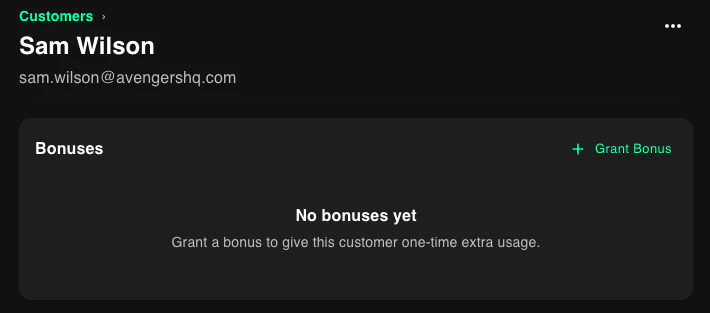
3
Set options
Select a feature, input an amount, and optionally set a reason and expiration date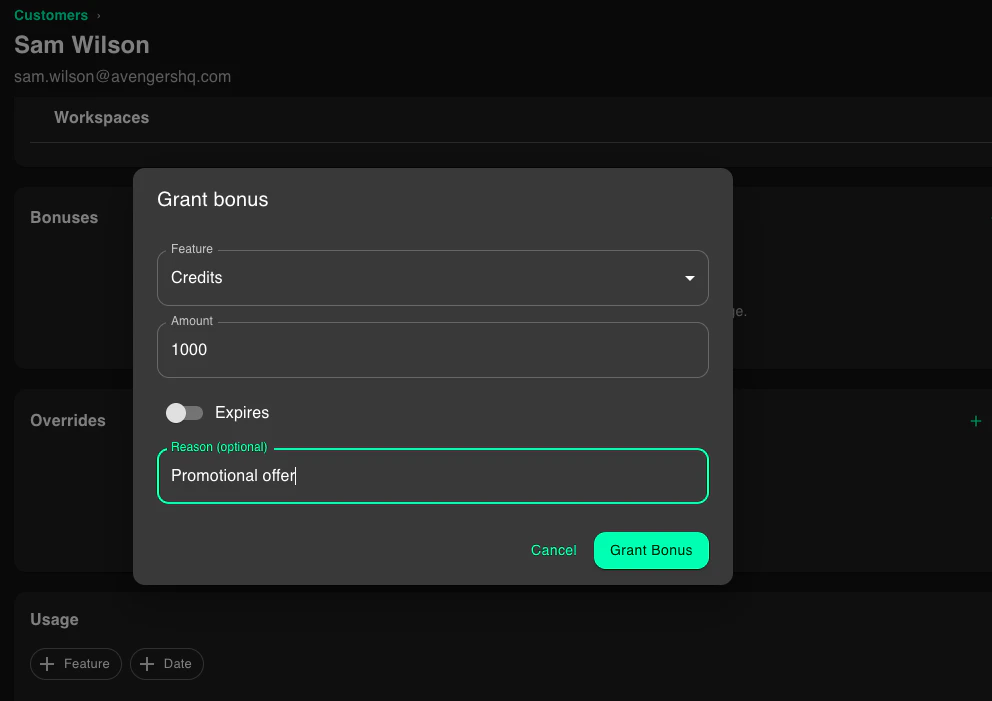
4
Save
Click the Grant Bonus button