> ## Documentation Index
> Fetch the complete documentation index at: https://docs.priceos.com/llms.txt
> Use this file to discover all available pages before exploring further.
# Removing Overrides
> You can remove customer overrides using the PriceOS web app.
You can remove customer overrides by going to the customer details page and clicking the More menu (...) next to the override and clicking the Delete Override option.
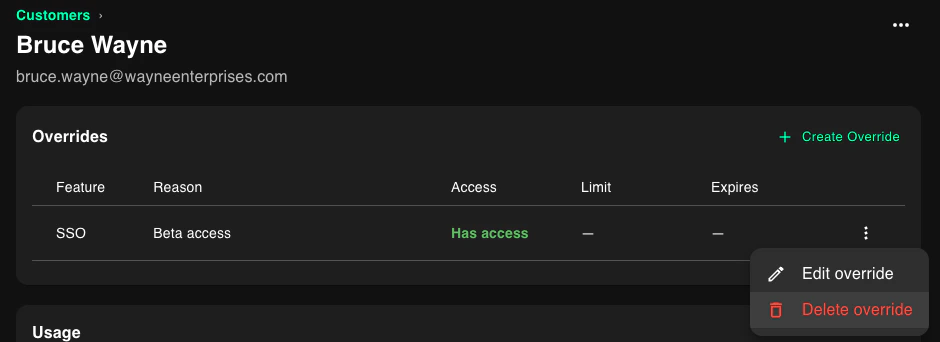 After removal, feature access falls back to product-derived rules.